0. Before we begin
PC cases come in many styles. Sorting recent PC cases by a few features: most have no ODD (optical drive) bay, mesh-front cases appear often, and cases that increase the number of bundled fans are also a growing trend. The reason more and more PC cases have tempered-glass side panels is that, through the side glass, watching various LEDs sparkle has become quite common. Whether the CPU cooler is a radiator type or an all-in-one liquid cooler, there are so many parts that emit light. Since they're emitting light, rather than blocking it with a sealed steel panel, making the side viewable with acrylic or tempered glass is, you could say, a kind of aesthetic sense.
The product arrived very well packaged.
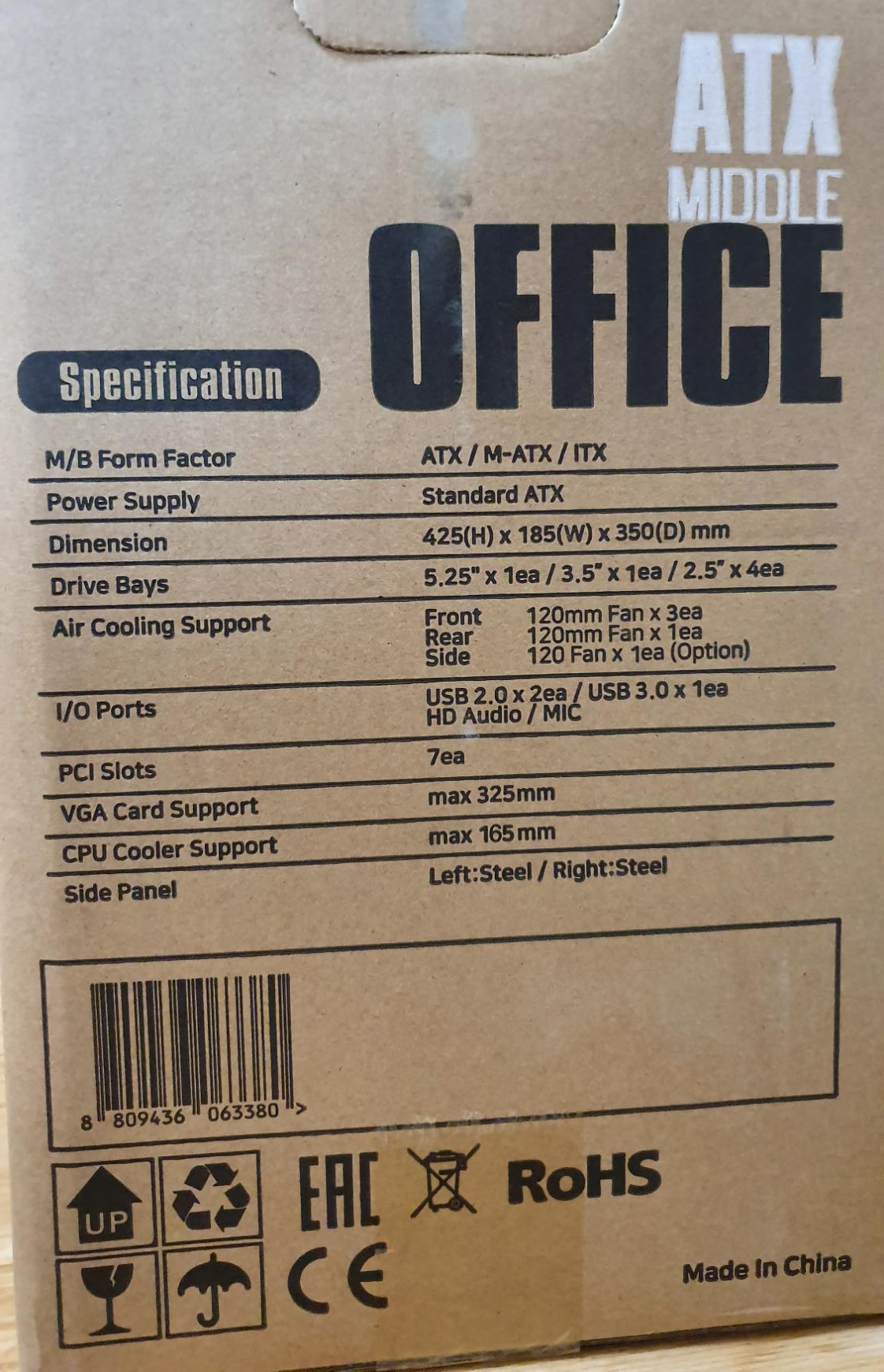
On the side, the ROHS-certification details and various basic specs are written like this. The 5.25 bay is a bay for an ODD, 3.5 is space for a 3.5-inch hard drive, and 2.5 is space for a 2.5-inch drive.
1. But...
However, the cases mentioned above — with acrylic or tempered-glass sides, or with clean front designs — generally can't fit an ODD on the front. The space to slot an ODD is often filled only with space for 'fans.' Many don't provide a 5.25-inch bay in the first place, so they're unsuitable for an 'office environment' that needs an ODD (considering the nature of 'legacy systems' where many things still remain on CD..). Office environments still need ODD space. On that point, the Micronics Office I got to handle this time is one representative case considering this 'office characteristic.' Below is a concept image.
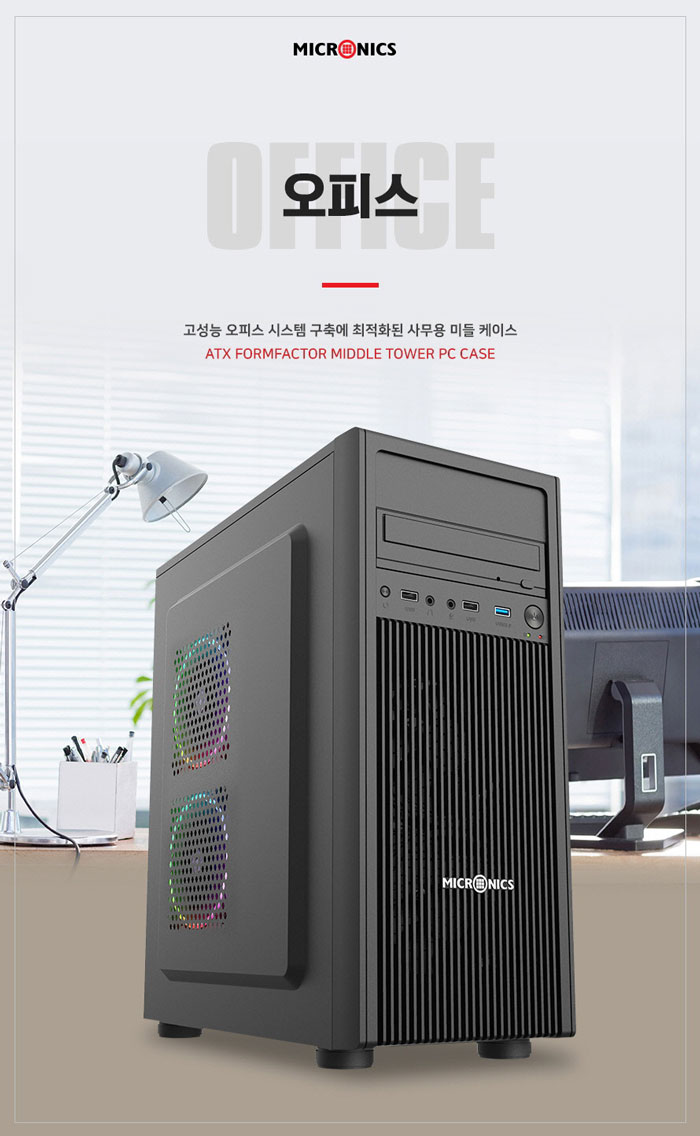
Seen this way, you can tell that cases like the Office generally have a similar form. There's a front-top structure to fix the ODD space and 3.5-inch drives, and although there's occasionally a bottom-mounted power supply, rather than bottom power it uses a top power supply (more favorable for cost reduction) and minimizes side-panel space to reduce thickness — also contributing to cost reduction.
The actual product image turned out a little different from the image above, as in the following photo.
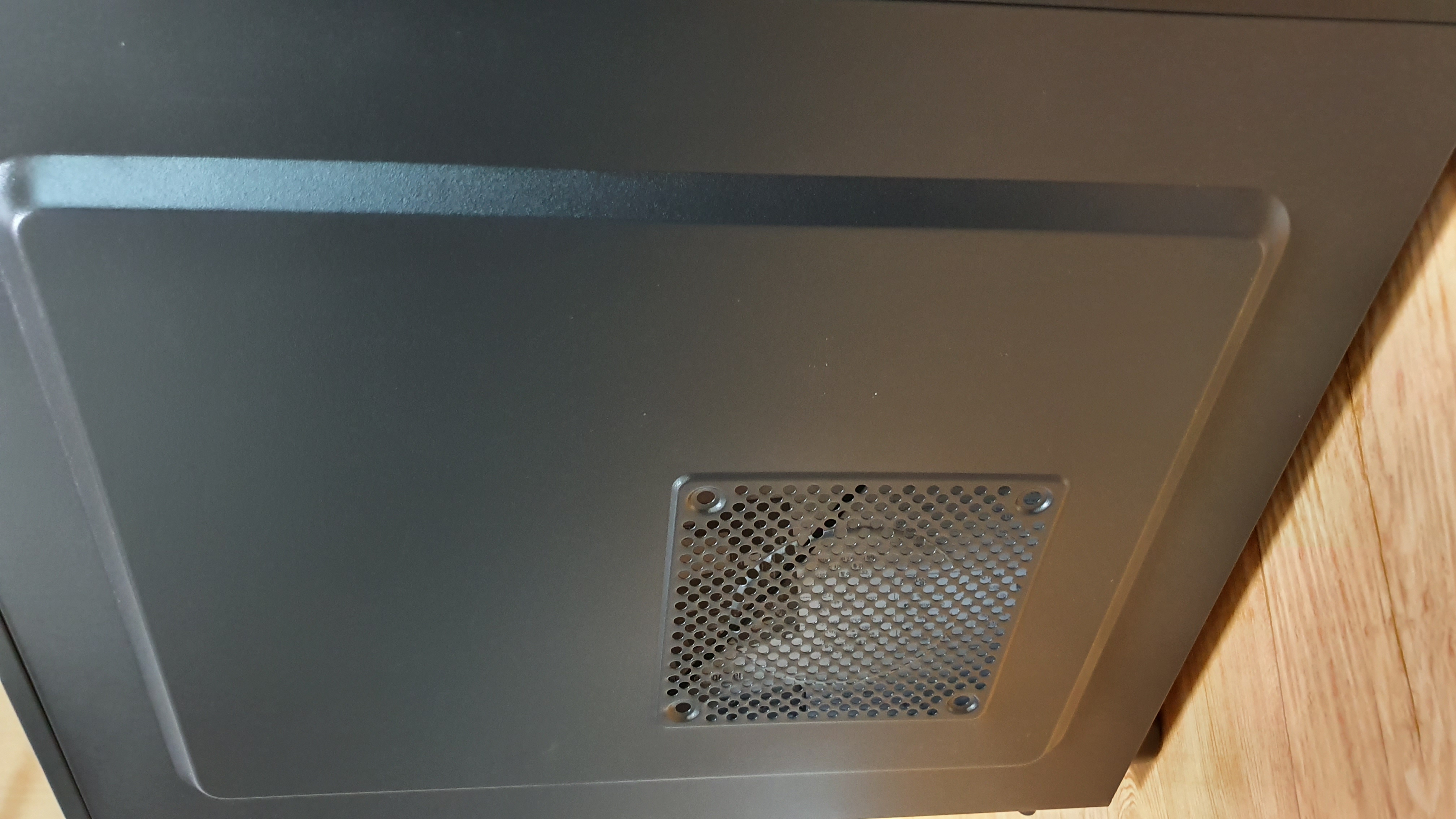
The space for mounting side fans changed from two to one. This was due to interference with the CPU cooler. To mount two coolers as in the concept image, in a case like mine where I'd mounted a tower cooler like the 'Trinity,' it was a position where it interfered with the side cooling fan. So you can see they made a cutout that fits only one. Of course, as in the product info mentioned at the top of the post (http://prod.danawa.com/info/?pcode=10359000&cate=112775#bookmark_product_information), the side fan is optional. But since there's no separate dust filter, in my case I cut the leftover mesh I had and stuck it on. It's a little disappointing that the cutout here is too large. But then, if the cutout is too small, air doesn't pass well, so it's a bit of a toss-up.
2. Assembly process
If you ask whether assembly was easy, since the system I was trying to move was M-ATX, I can say it was easy. In particular, the most basic of basics — fitting the motherboard standoffs — wasn't hard. By comparison, DAVEN's FT305 was the main reason I had to buy a hex driver, because I couldn't turn the motherboard standoffs by hand. Compared to that product, the Micronics Office let me turn the standoffs easily, so there was little difficulty. The assembly convenience of each standoff mattered to me too. Here's a quick look at the standoffs.
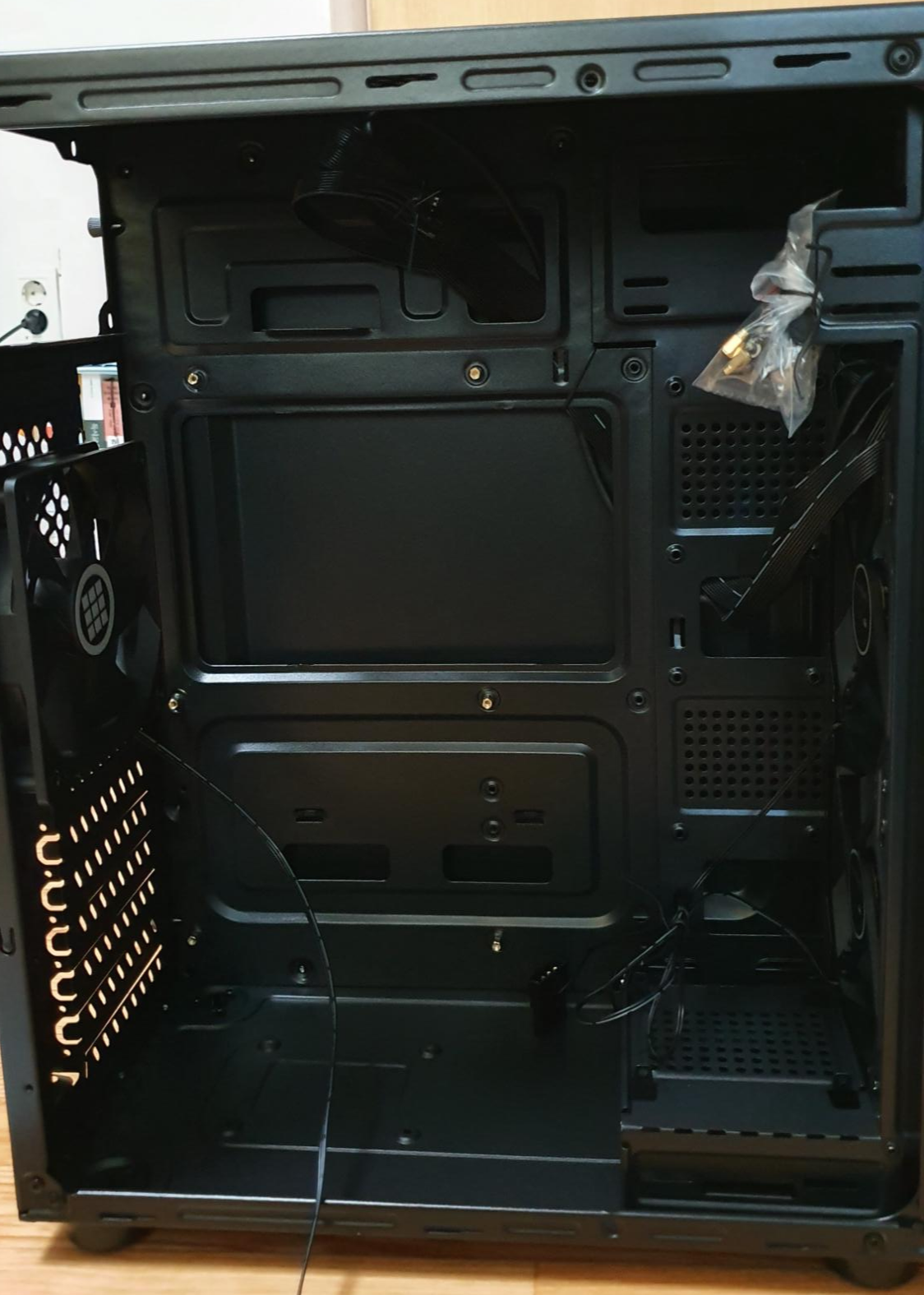
I was really satisfied looking at these standoffs. What really made for a comparison was that those standoffs came out easily by hand, whereas with the product I reviewed before, in the end I couldn't remove the standoffs by hand and had no choice but to buy a separate hex driver. Moreover, if you look closely at the photo above, the treatment of the cutout parts is clean. Ordinary 'cutouts' often just have holes punched with no separate border around them, but the Micronics Office solved this very cleanly — by putting a small circle around them. I didn't photograph it along the way, but since I had no 3.5-inch hard drive, I removed the front-bottom 3.5-inch bay.
3. Case comparison
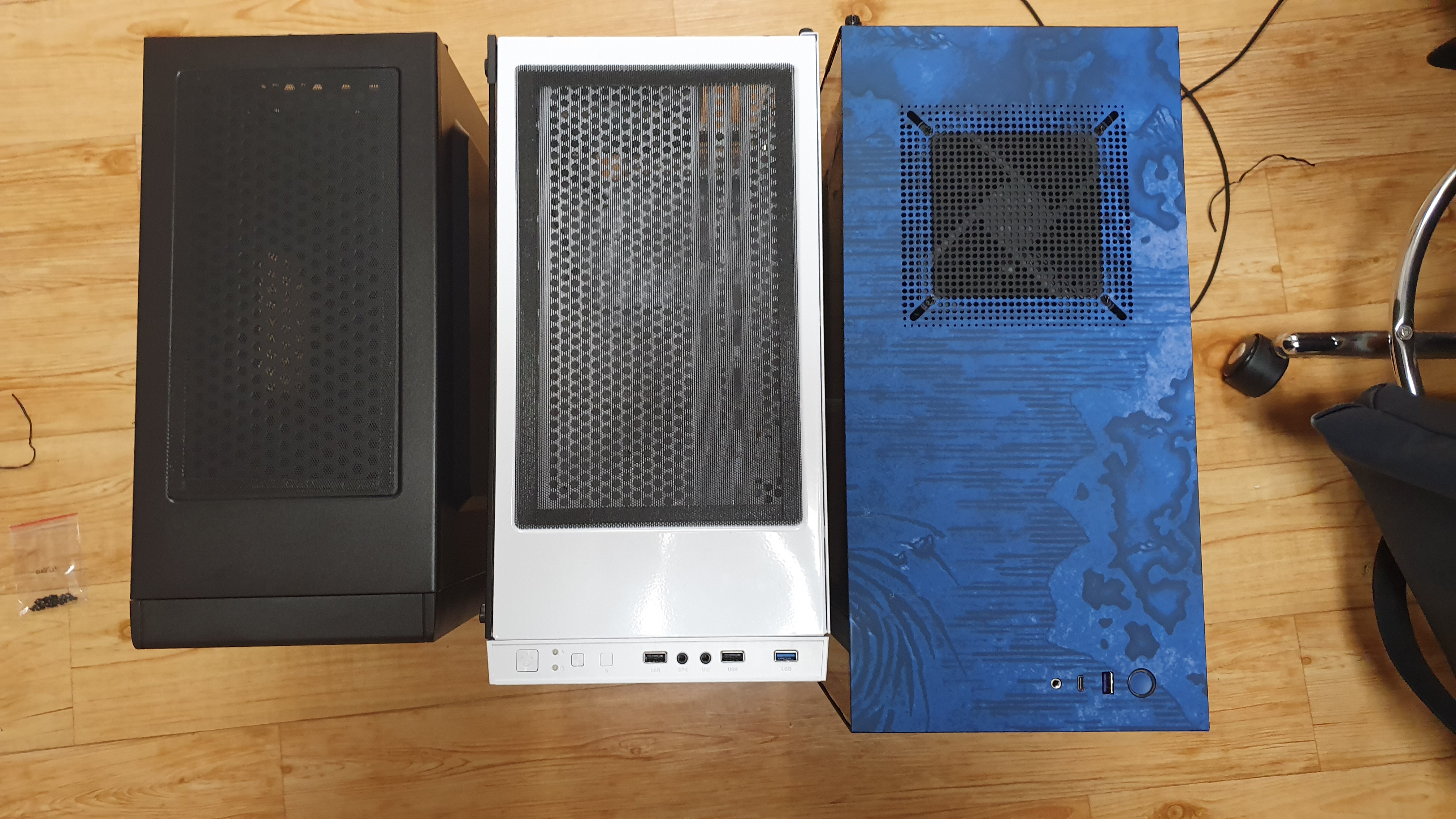
I compared three: the DAVEN FT305, the Micronics Office, and the NZXT Alliance. In size, the Micronics Office was overwhelmingly the smallest. This can be seen as a major advantage for leveraging the 'office' title. The smaller the size, the easier it is to use in a cramped office space. That size standard is both the left-right width and the front-back depth. (As you can see in the photo above, the Office is the smallest product in both left-right and front-back width.) Even so, this product secured minimal graphics-card space (supports a 325mm graphics card). With this, although it's an office PC, it has the advantage of being able to mount a long, high-end graphics card too. Depending on the person, cases like the Micronics Office can also be used as everyday computers. Case cost is one of the costs of buying a PC. (In order, 20,000-won range, 30,000-won range, 200,000-won range...... money-burning) Moreover, the CPU-cooler height support is listed as 165, and 165 is a height that can fit Noctua's dual-fan air coolers.
Meanwhile, comparing the fronts: the white one and the blue one had blocked fronts, so intake/exhaust didn't work well. But!
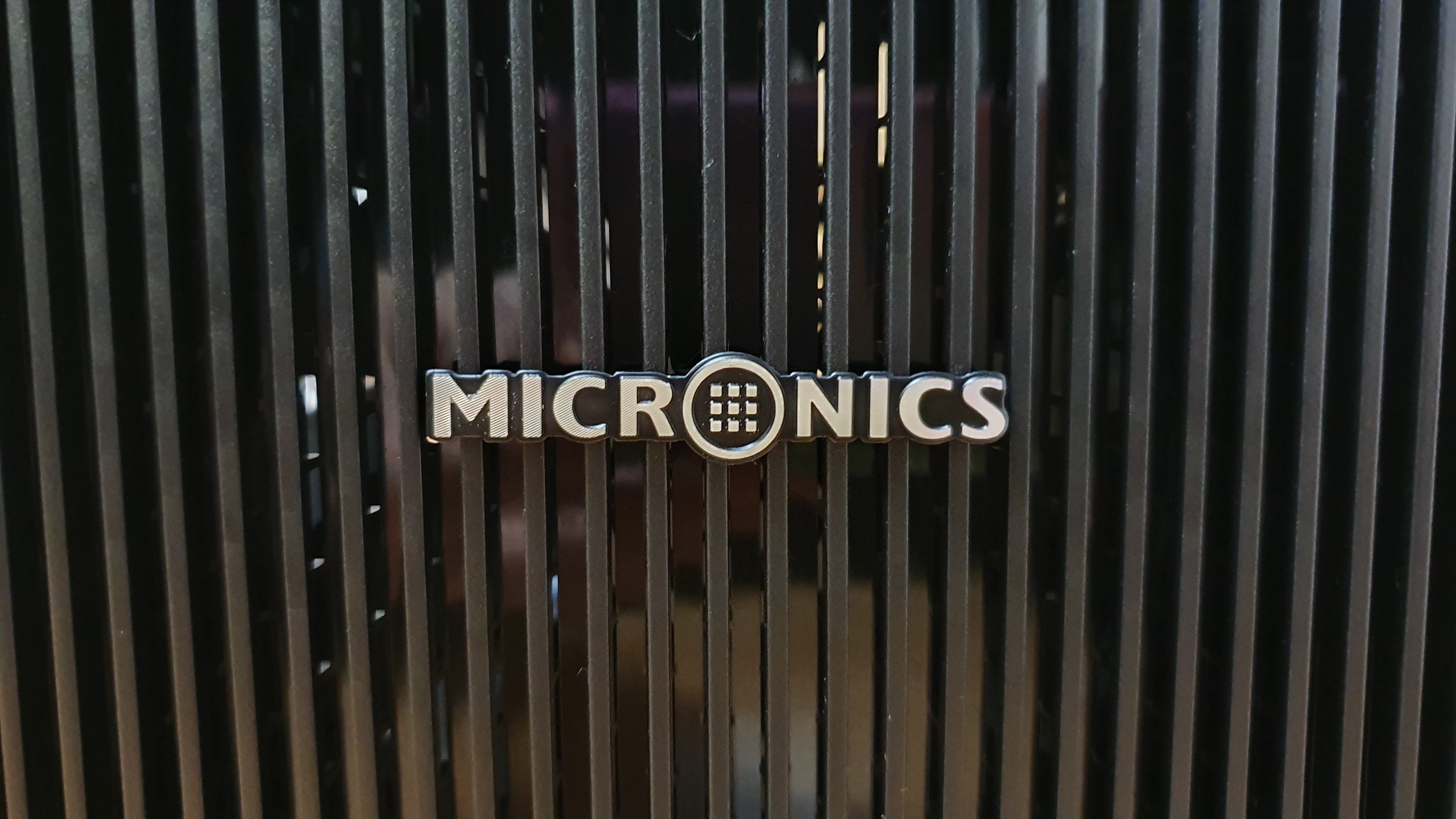
The air holes were well opened like this. So intake/exhaust worked well. The white and blue cases beside it had blocked fronts, so intake/exhaust wasn't smooth, and because of that I'd felt heat was often severe. But this Micronics was the quietest even under a brief full load (PUBG with a 1080ti and 9700k..), which was quite satisfying for me. The reason for the low noise can be summed up as good intake and exhaust. Those who've used the white version of the blue case will know — that case really has poor intake/exhaust, so the internal temperature is ** high.
And let me take a quick look at the front ports I use often.
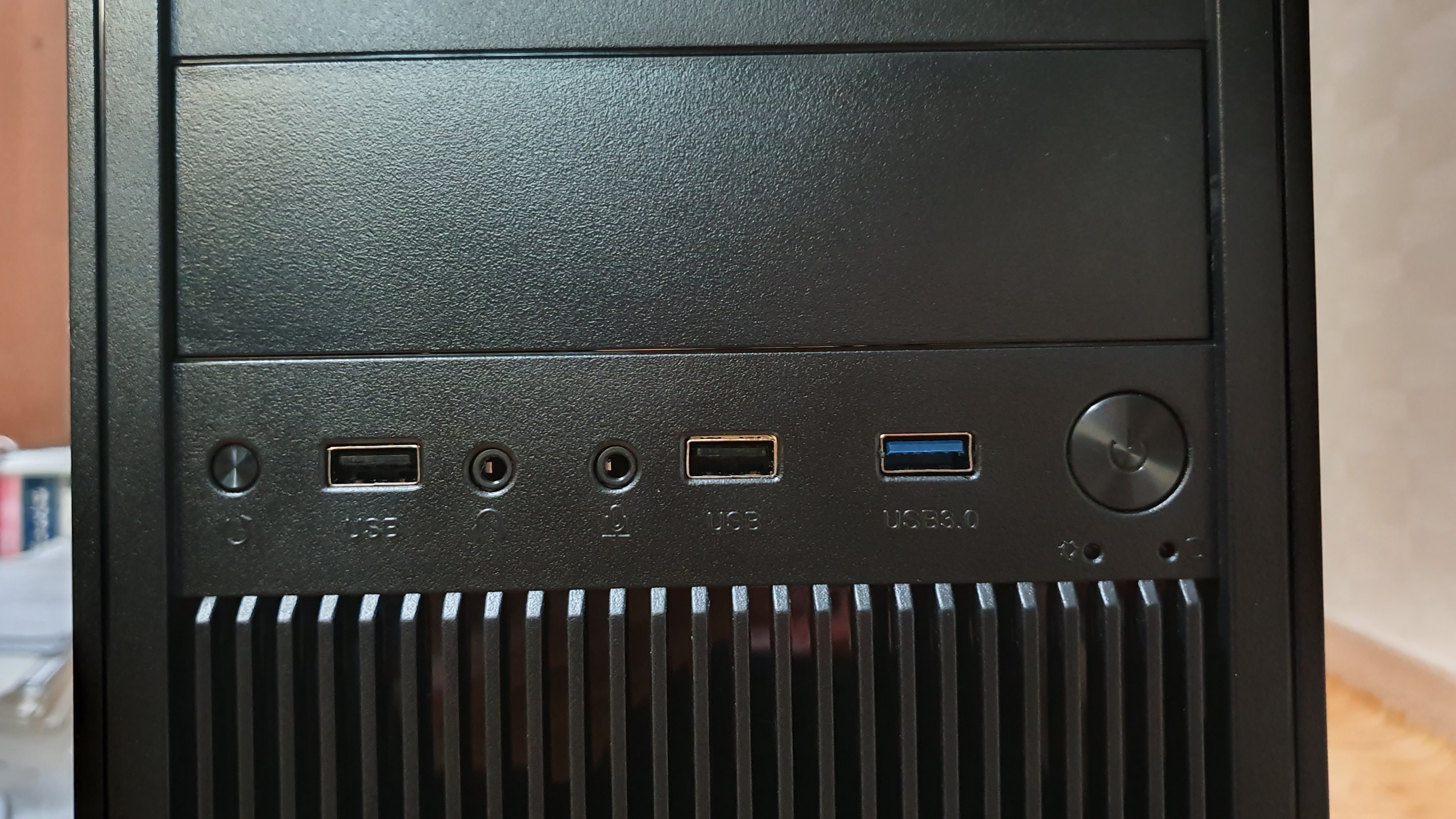
The front ports consisted of a reset button, two USB 2.0, a mic port, a headset port, one USB 3.0, and a power button. Above the front panel there's space to insert an ODD, so I could put in an ODD if I wanted. I'm in the camp waiting, long-term, for USB-C on front ports. Cases supporting front USB-C are still appearing only in high-priced cases (at least 100,000 won), and this is because the motherboard also needs a USB-C port, which is rarely supported. Ordinary low-spec M-ATX boards don't have a front-panel USB-C connection port. If front-panel USB-C increases among M-ATX-type boards, we'll be able to see USB-C on the front of cases like the Office too. Devices that can use the USB-C cables I have include a power bank, phone, and AirPods (USB-C to Lightning).
4. Assembly notes
After assembling, using, and disassembling, I realized I hadn't taken photos. Since it's hard to move the system that's in the blue one to assemble once more, I'll just write the review for now. Again, the hard part for me during assembly was cable management. My being bad at cable management plays a part, and the Office case's small side space also plays a part. Even when assembling that white case, I felt the side space wasn't ample and had difficulty assembling. But this product had even less. That is, there wasn't proper space to manage cables. This part was very similar to similar-form products from another company my father uses. Likewise, those products also lacked side space. So in my own way I thought about the cause and solution of this lack of side space.
1) Cause and reason for cost reduction: people don't invest much money in an office PC. As a result, you end up choosing the cheapest possible PC case. To lower the price of a PC case, thin steel is needed. So it tends to dent and push in easily (compared to thick-steel cases). And minimizing volume reduces cost. So this too resulted in lowering the side space.
2) Solution: if it's an office computer, you just accept this. Also, considering office-computer specs, since you won't use a full-modular power supply, buying a power supply of suitable performance (500W) is appropriate. Putting a full-modular / 750W-or-higher power supply in the Micronics Office is close to a waste of money. The lower the power capacity, the fewer cables. Assembling with a 750W power supply, there were soooooo*1000 many unused cables, and there was no space to handle them. (Tears blur my view.)
On the other hand, one other solution is to use an M-ATX board. Of course you could use an ATX board, but given the small space, using an M-ATX board has the advantage of saving space while also making cable management easier. The board I assembled this time was also an M-ATX board. I'll just post the board photo below.
I thought that with an ATX board, the space between the case's bottom and the board wouldn't be ample, so it could feel a bit cramped.
5. In closing
I'll end by mentioning this product's strengths.
1) The company Micronics: the reason I mention this first is that this company's image is very good to me.

Not just anyone does this well. That they use part of their sales profits to support children in poor households is very satisfying to me. At a time when 'ethical consumption' is increasingly emphasized, it's one of the company images very much needed, and Micronics practices it well.
2) Decent packaging
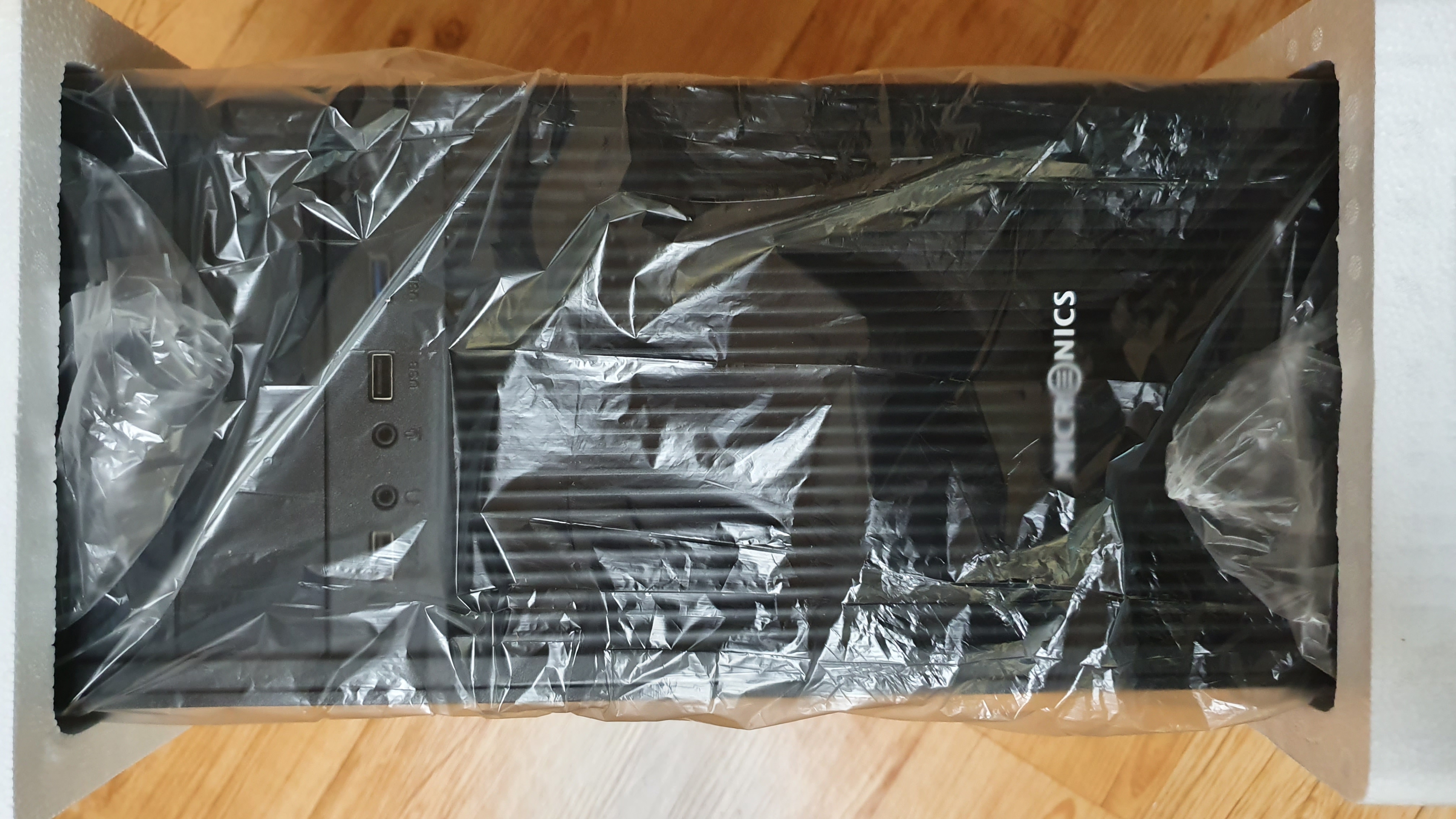
Because the case arrived firmly fixed, there was no chance of it breaking. Occasionally you can find other companies' case-opening reviews saying the case arrived broken, but this product wasn't like that.
3) Clean cutout treatment
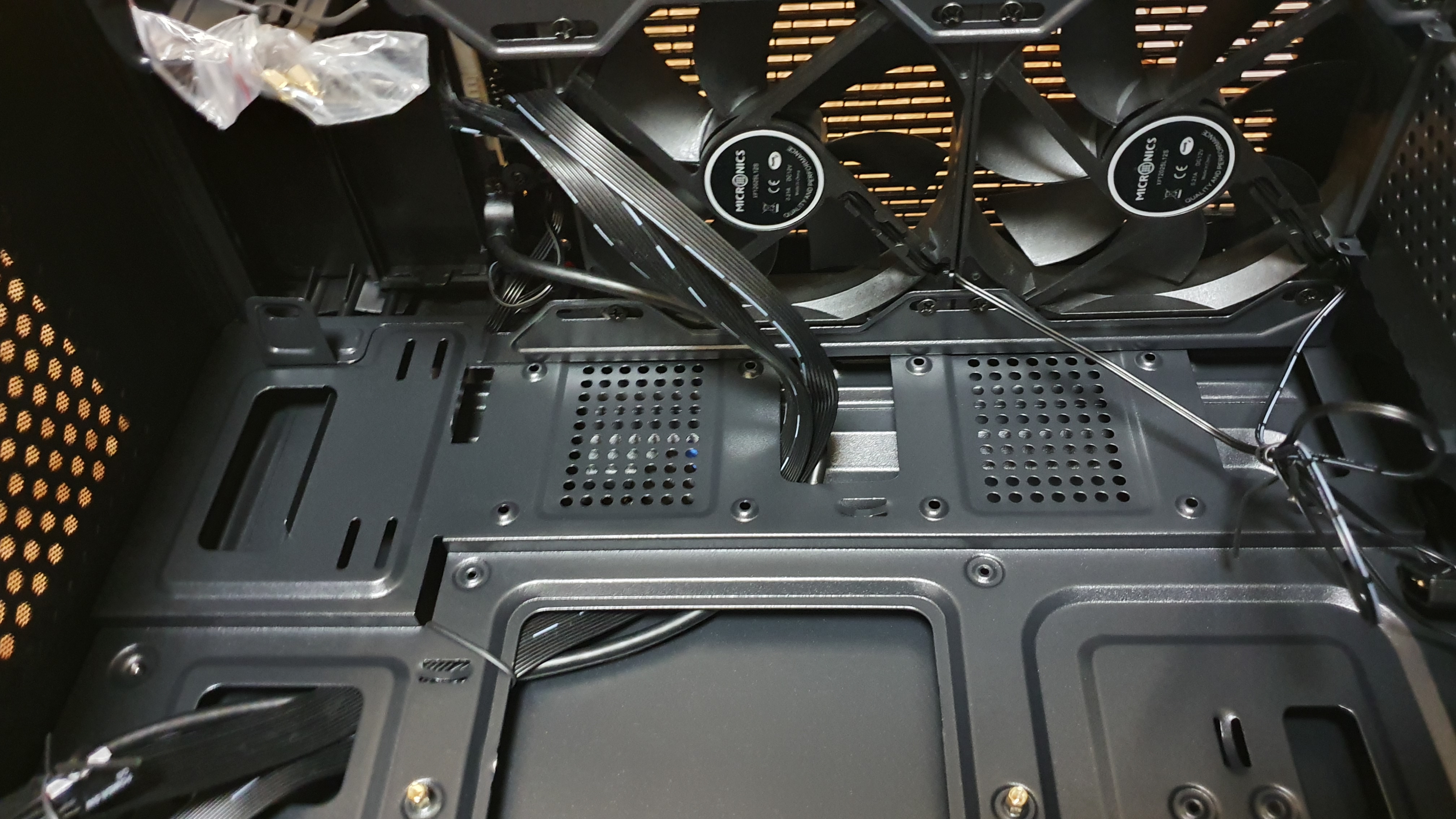
Even though these are very close-up photos, the cutouts are clean. I found myself wishing other companies would do cutout treatment to this level too. Looking at this product, I thought, 'How hard is cutout treatment, that this company is this clean while the others I've experienced aren't...' I'm worried this product will raise my standards for PC cases.
4) Cooling fans I was satisfied with
For reference, the basic cooling-fan performance of the white case was somewhat disappointing. But this product was very, very, very satisfying.
The end!
P.S. Soon, when I disassemble and reassemble the system, I should take photos again and post them. My photos ㅜㅜㅜㅜ But for the time being I can't bring myself to assemble. Sigh..
This experience review was written with a product provided through a Hanmi Micronics and Quasarzone event.
#Hanmi #Micronics #Genie #launch #MicronicsOffice #officePCcase #officePC
Comments 0
No comments yet. Be the first.